
Edit a user
Only an account Administrator can manage users in an account.
Step 1
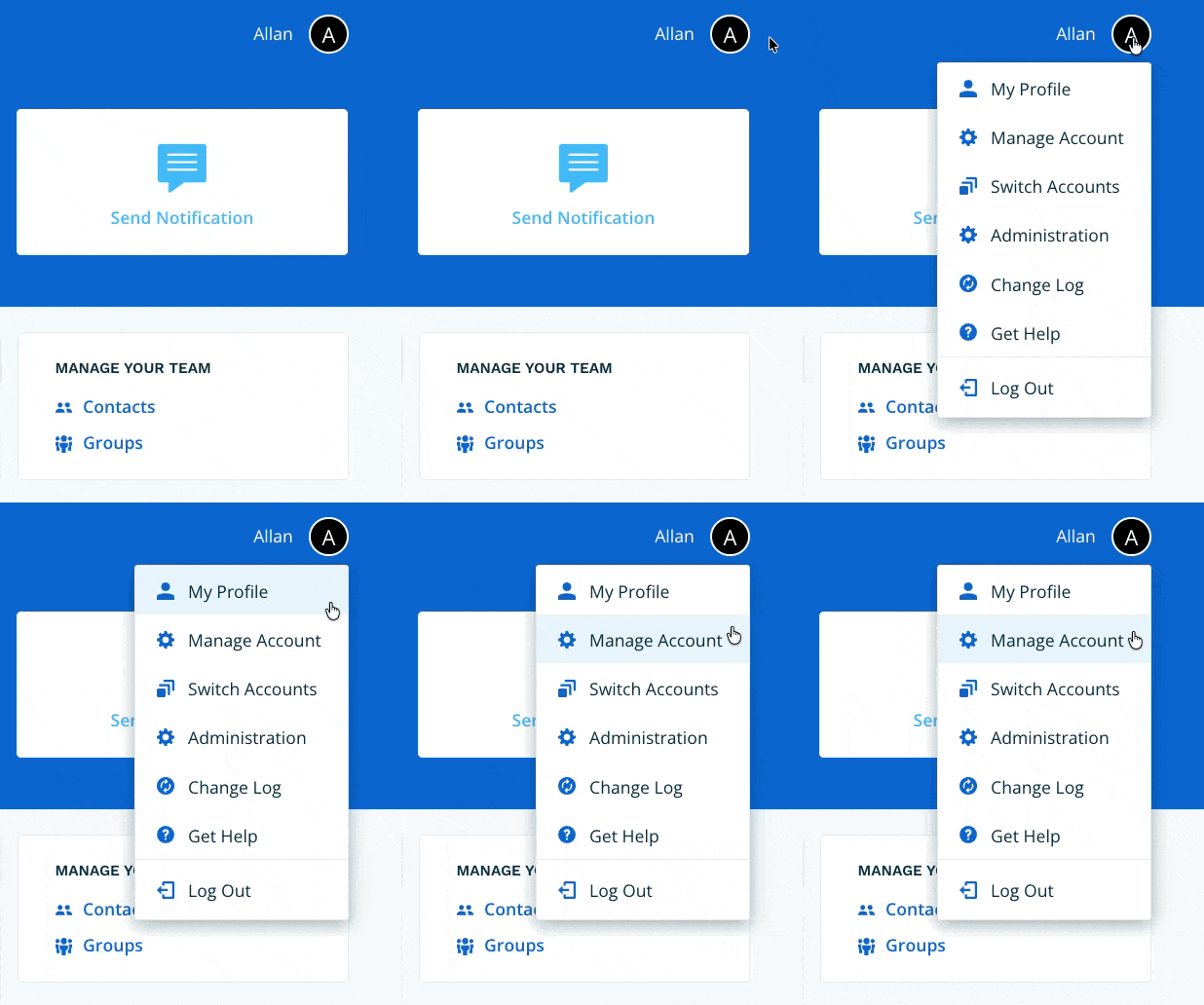
Navigate to Manage Account via the profile menu.
Step 2
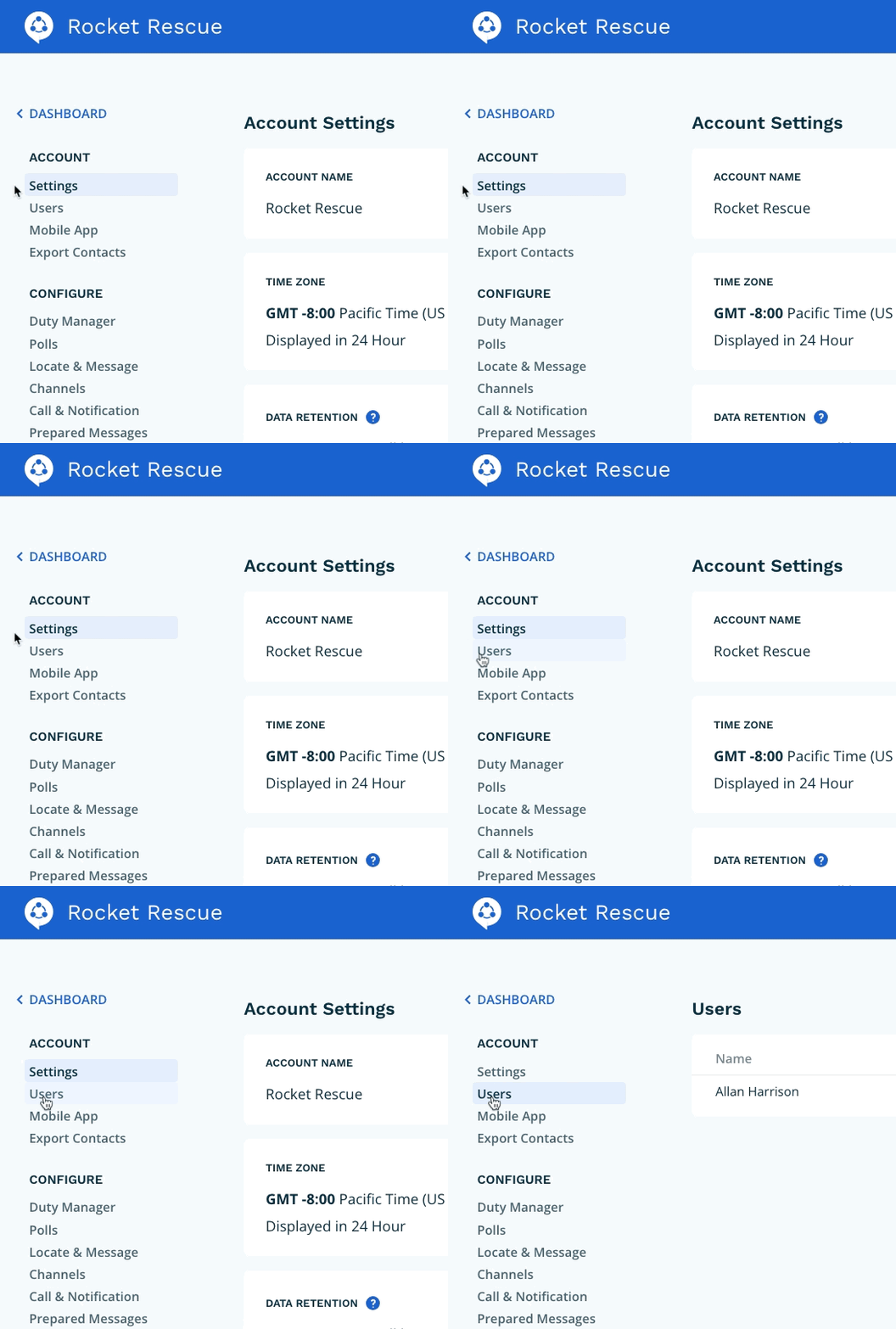
Select Users from the page navigation.
Step 3
Select the user who you would like to update. In the Role field select the new role for the contact. Once you're done, click Update.
