
Switch between phone line greetings
If your phone line has more than one greeting recorded, you can switch between them at any time — without reconfiguring the line. This is useful when your line serves different purposes at different times, such as a standard operational greeting and an incident-specific greeting during an active event.
To switch between greetings, your phone line must have more than one greeting recorded. Greetings are added during phone line configuration — see the relevant configuration article for your line type.
Direct Connect and Cascade Connect Lines have two greetings each — one played when the caller is placed on hold, and one played when no contact answers and the caller is prompted to leave a voicemail. Each greeting can be updated independently.
Step 1
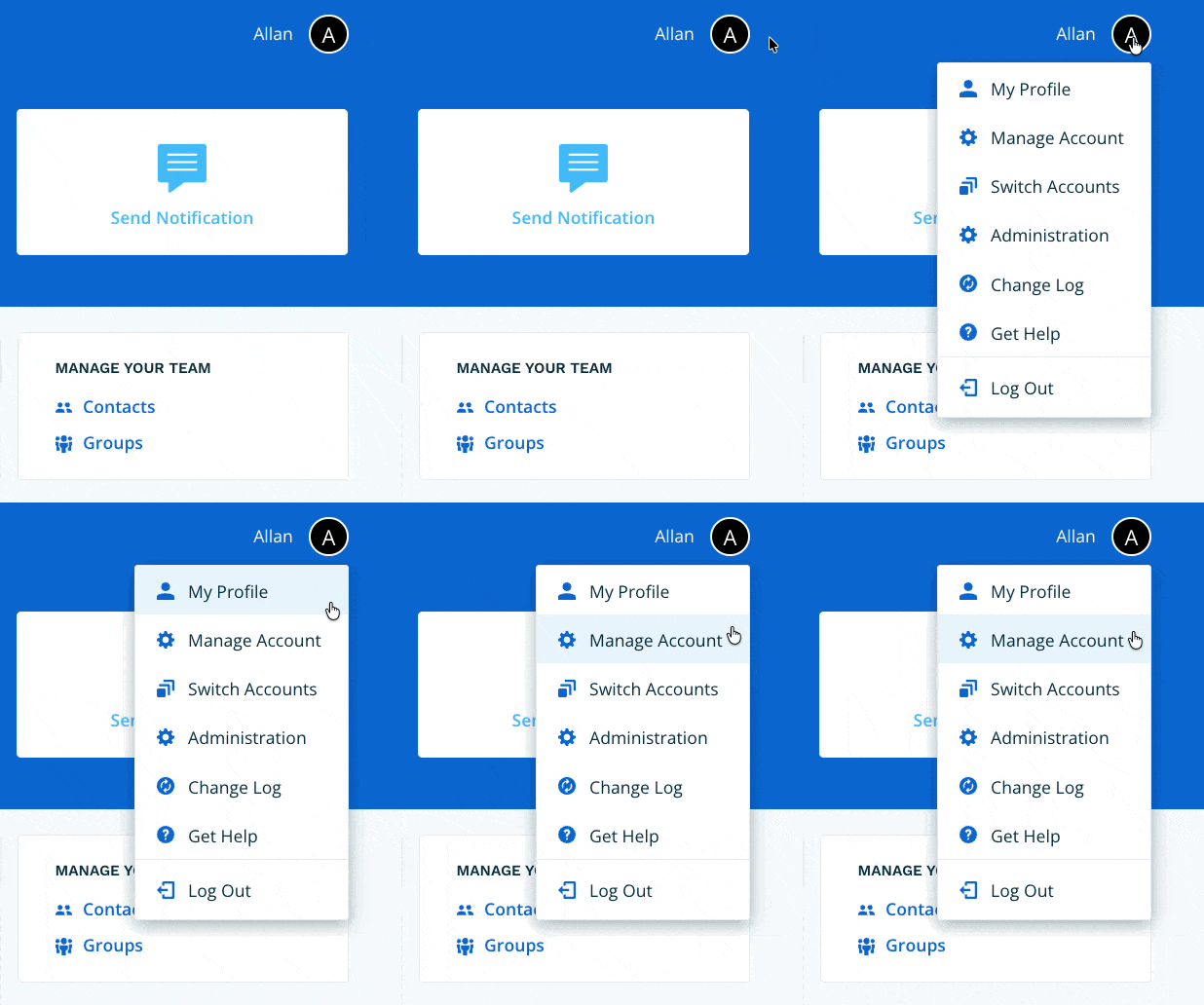
Navigate to Manage Account via the profile menu.
Step 2
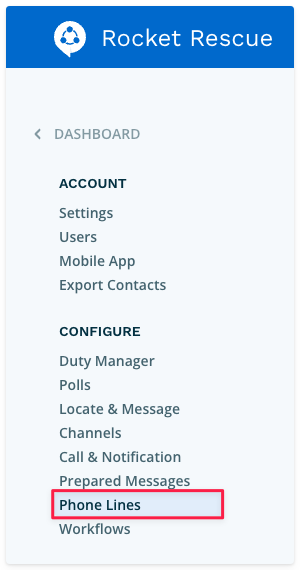
Select Phone Lines from the left-hand navigation.
Step 3
Select the phone line whose greeting you want to change. If your phone line has Primary and Alternate Call Flows, select the tab for the call flow you want to update, then select Edit on the Phone Line Greeting section.
To update greetings for both call flows, repeat this step on each tab.


Step 4
Select the greeting you want to activate from the list of available greetings, then select Save.

The selected greeting will now be played when callers reach this phone line.
