
Disable a Prompt
Administrator access is required to disable a Prompt.
Step 1
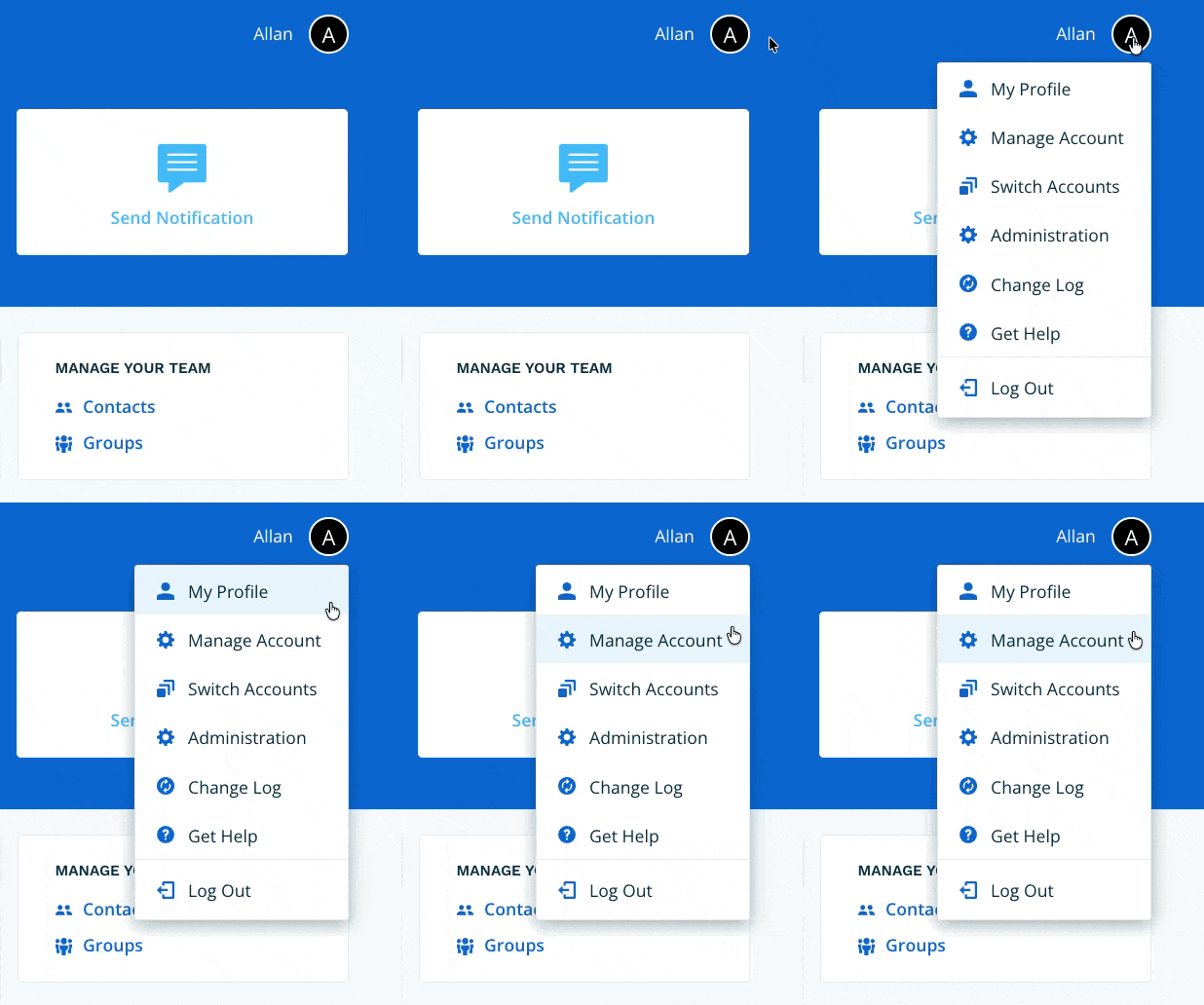
Navigate to Manage Account via the profile menu.
Step 2
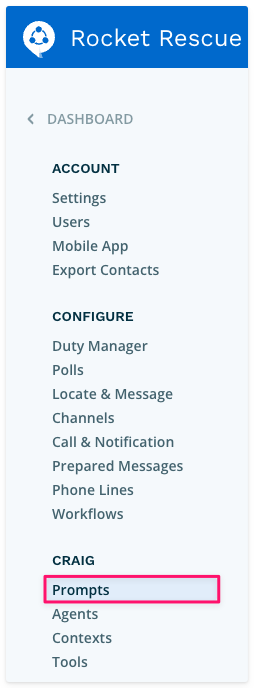
Select Prompts from the left-hand navigation.
Step 3
Under Your Prompts, select the Prompt you want to disable, then select the Edit link.

Step 4
Disable the Prompt using the toggle at the top of the form, then select Save & Verify.

Step 5
Your Prompt will move to the inactive section at the bottom of the index. To re-enable it, return to the Edit screen and toggle it back on.
