
Disable an Agent
Administrator access is required to disable an Agent.
Step 1
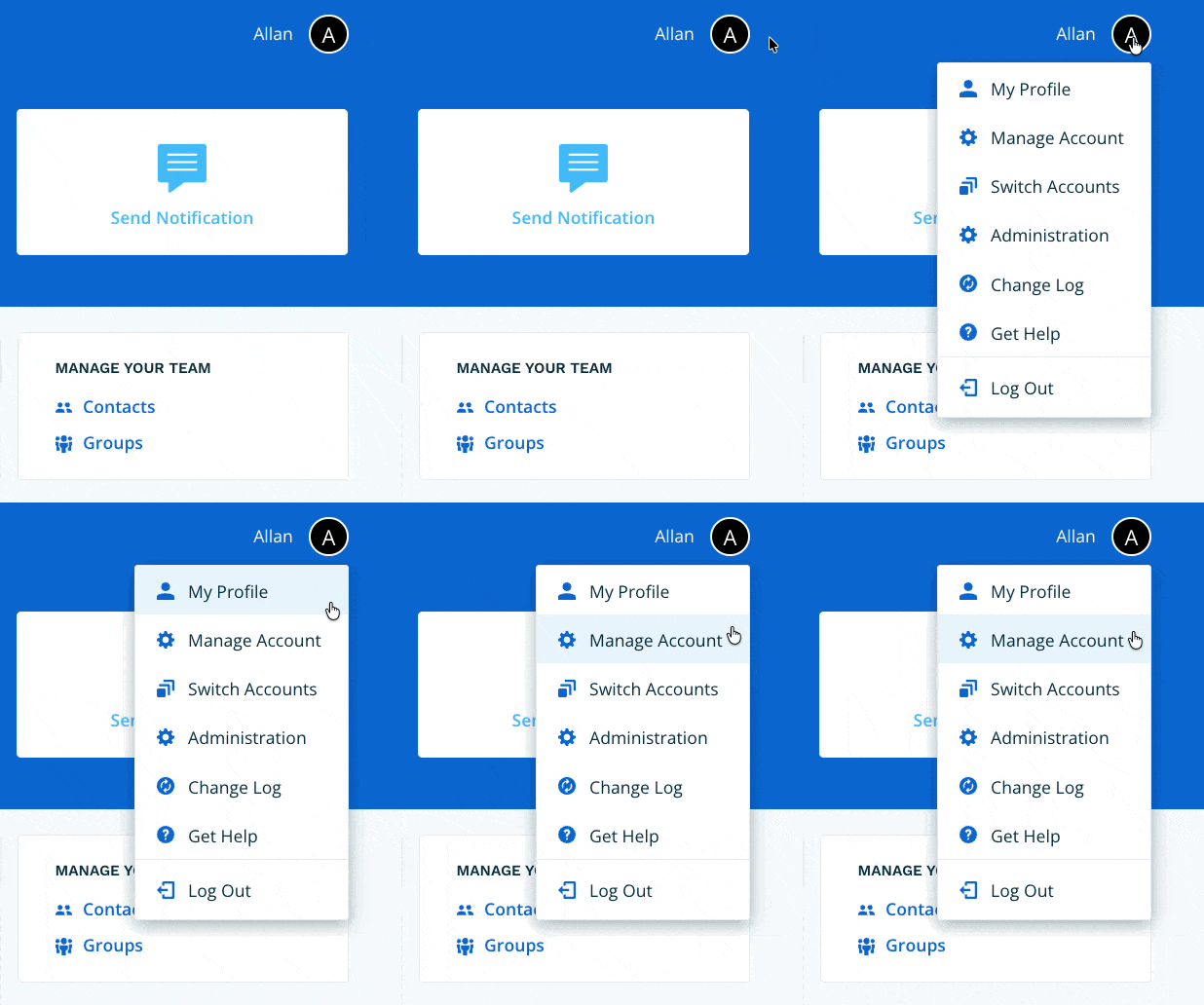
Navigate to Manage Account via the profile menu.
Step 2
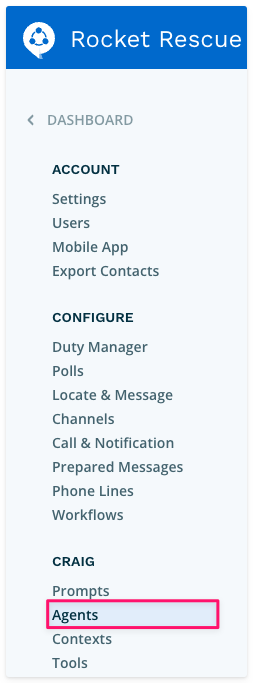
Select Agents from the left-hand navigation.
Step 3
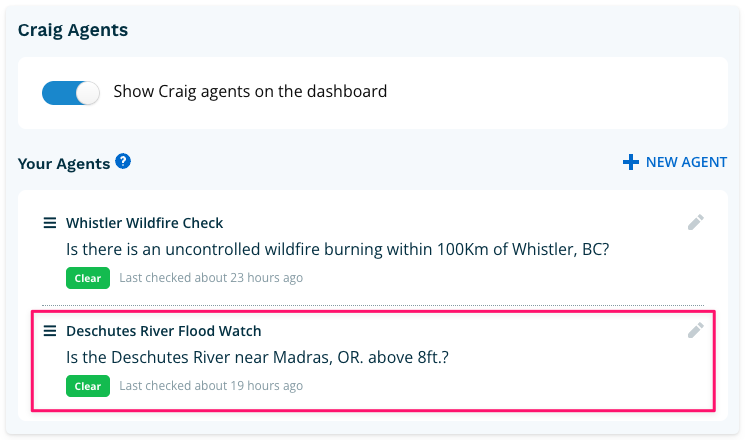
Under Your Agents, select the Agent you want to disable, then select the Pencil icon.
Step 4
From the Agent view, select the Edit link.

Step 5
Disable the Agent using the toggle at the top of the form, then select Update.

Your Agent will move to the inactive section at the bottom of the index. To re-enable it, return to the Edit screen and toggle it back on.
