
How can I view available Craig Tools
Administrator access is required to view Tools.
Step 1
Navigate to Manage Account via the profile menu.

Step 2
Select Tools from the left-hand navigation.

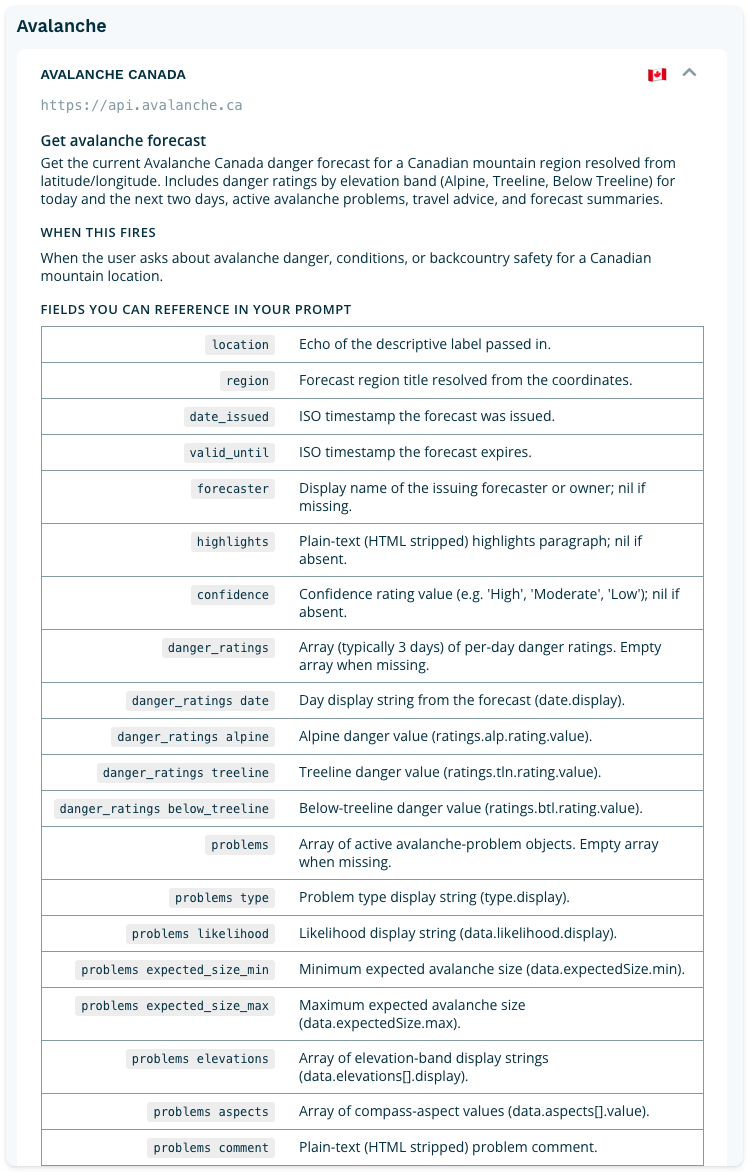
When viewing the tools index, you will see:
- An option to submit a request for a new data source.
- Section headings that group like tools together.
- The name of individual tools.
- A flag that indicates the origin of the data source. The globe icon denotes a global data source.

Click the downward pointing arrow to expand tool details. For best results, reference the exact field names the tool returns in your What to Fetch and Formatting Instructions fields. Referencing specific field names rather than describing what you want in general terms gives Craig greater precision and produces more consistent results.
Need a data source that isn't listed? If your organization relies on a proprietary data source, open a support ticket and our team will work with you to explore your options.