
Enable Craig Prompts in mobile apps
Administrator access is required to enable craig prompts on the dashboard.
Before enabling Craig Prompts in mobile apps, make sure you have configured at least one Prompt. See Configuring Prompts.
Step 1
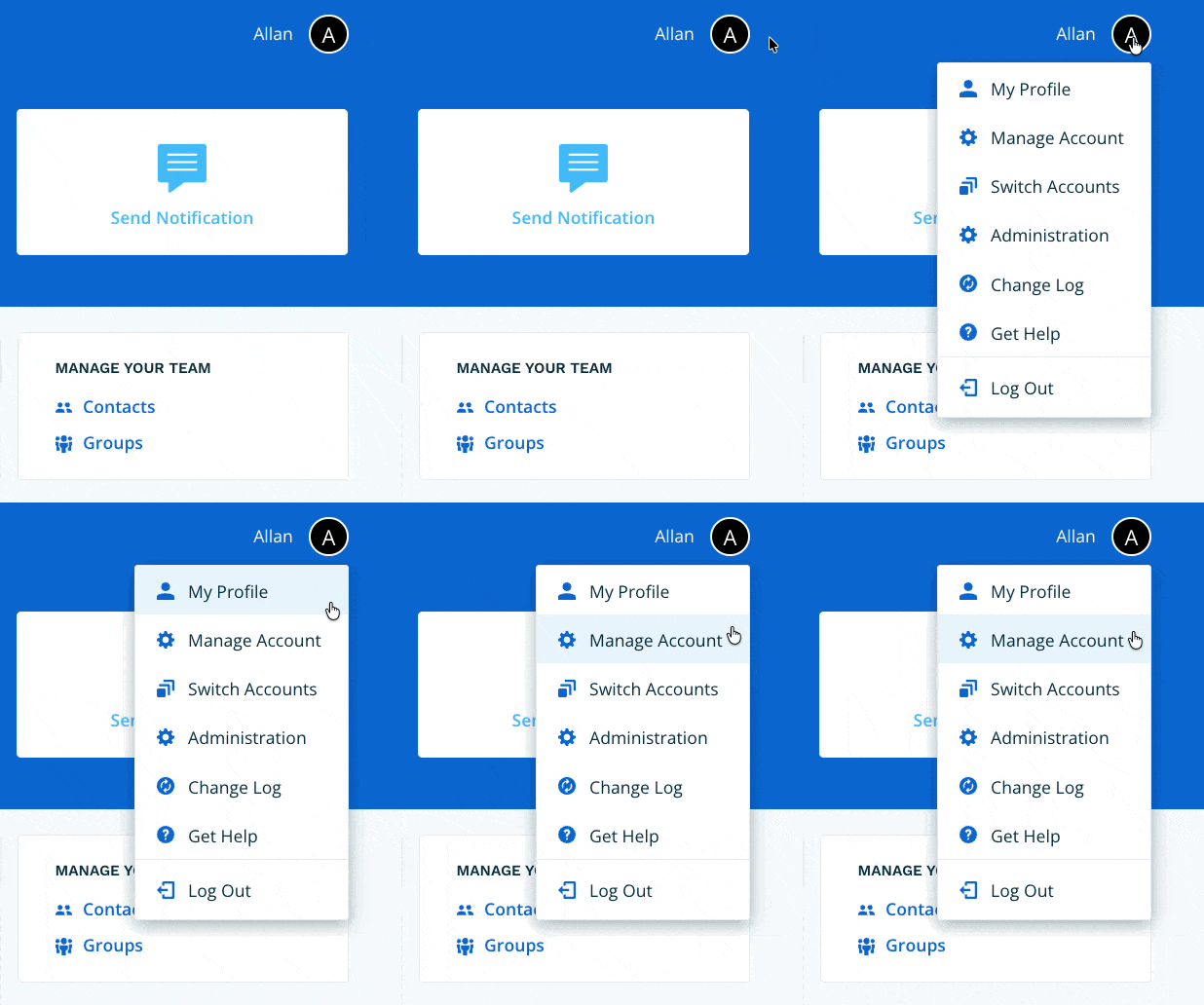
Navigate to Manage Account via the profile menu.
Step 2
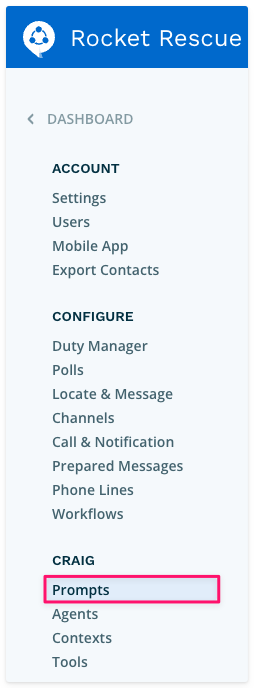
Select Prompts from the left-hand navigation.
Step 3
Enable the Enable Craig Prompts for all contacts in mobile apps toggle. Craig Prompts will then be available to all users and contacts in the Connect Rocket mobile app.

Note: Enabling this toggle gives all users and contacts the ability to run Craig Prompts from the mobile app. Each Prompt run uses credits — consider the potential credit usage across your full user and contact base before enabling. See Fast and Thinking: How Craig Chooses the Right Model for more detail on credit usage.